Separate preparation from approval
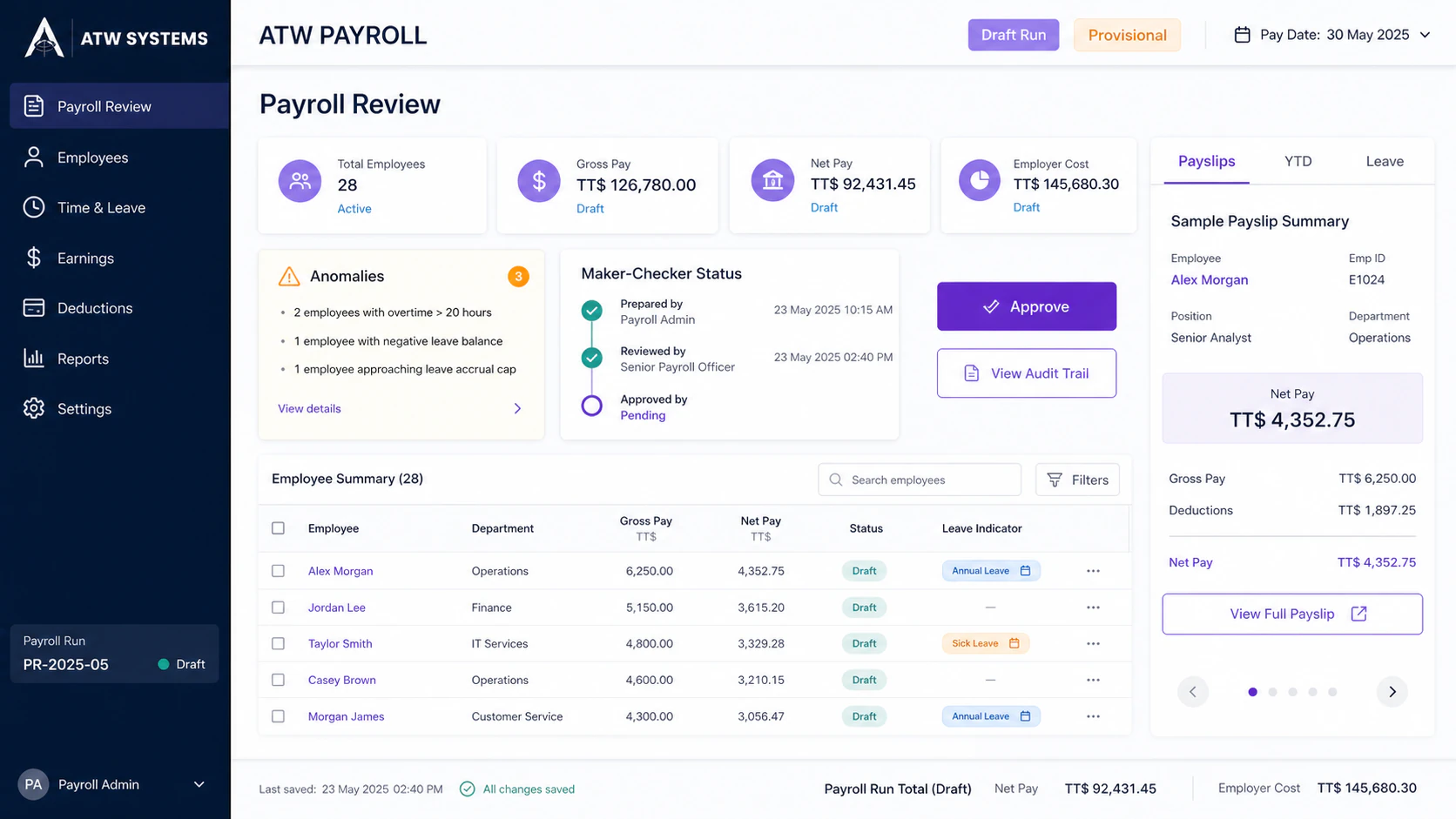
The demonstrated workflow requires a different fictional actor to approve a prepared run, preserving a visible maker-checker trail.
ATW Labs preview · Controlled payroll workflow
ATW Payroll demonstrates a fictional, non-statutory workflow from setup through provisional calculation, review, fictional approval and close states, sample payslips, YTD views, and leave records.
ATW Labs preview · fictional records · scope confirmed before onboarding
For teams assessing a disciplined payroll process before real statutory use.
How the work moves
These steps describe the intended local synthetic sequence; they do not by themselves establish current end-to-end browser readiness.
Use guided entry or CSV to create synthetic employees and payroll inputs.
Open a fictional draft run, enter synthetic inputs, run placeholder-rate calculations, and review anomalies.
Route the run to a separate fictional approver.
Record a fictional payment-date field and close the demo run; no wages or remittances are paid.
Open payslips, YTD views, mobile records, leave, and watermarked projections.
Where it earns its place
The demonstrated workflow requires a different fictional actor to approve a prepared run, preserving a visible maker-checker trail.
Inputs and calculated results can be reviewed before approval and close rather than turning a draft calculation into a final claim.
Projection views are watermarked, while payslip, year-to-date, mobile, and leave records are shown only inside the synthetic demonstration.
Current boundary
The evidence is limited to a local synthetic workflow. Rates, rules, filing requirements, and document layouts are placeholders pending authoritative verification. The demo does not pay employees, move funds, remit deductions, file returns, or support real payroll.
Questions, answered
Review the demonstrated scope, data boundary, and pricing process before deciding whether this workflow fits your business.
The ATW Labs preview covers set up, prepare, approve, close, review using fictional or synthetic records, with the current evidence boundary explained before any future product discussion.
It is an exploratory product preview, not a promise of launch-ready software. Scope, availability, and production suitability must be confirmed with ATW in writing. The evidence is limited to a local synthetic workflow. Rates, rules, filing requirements, and document layouts are placeholders pending authoritative verification. The demo does not pay employees, move funds, remit deductions, file returns, or support real payroll.
The Business Suite pricing page applies to Business Suite, not this ATW Labs preview. Any future product scope, onboarding, support, availability, and pricing would need to be confirmed separately in writing.
See ATW Payroll
This ATW Labs preview is for product discovery only. It does not create an account, connect real data, promise production availability, or establish production suitability. Ask ATW to confirm current scope and commercial availability in writing.