
Accounting Software Trinidad
Lead moduleKeep the books close to the work.
Keep invoices, expenses and reports together with ATW Business Suite in T&T. Accounting is included in Business Pro; setup is agreed in your quote.
Explore this workflowATW Business Suite
Keep customer enquiries, quotes and bookings in one workspace. Business Pro adds invoicing and accounting, so your team can follow the work through to payment and review.
Guided demos use synthetic data. Setup, real-data use, providers, support, availability, and commercial scope are confirmed in writing.
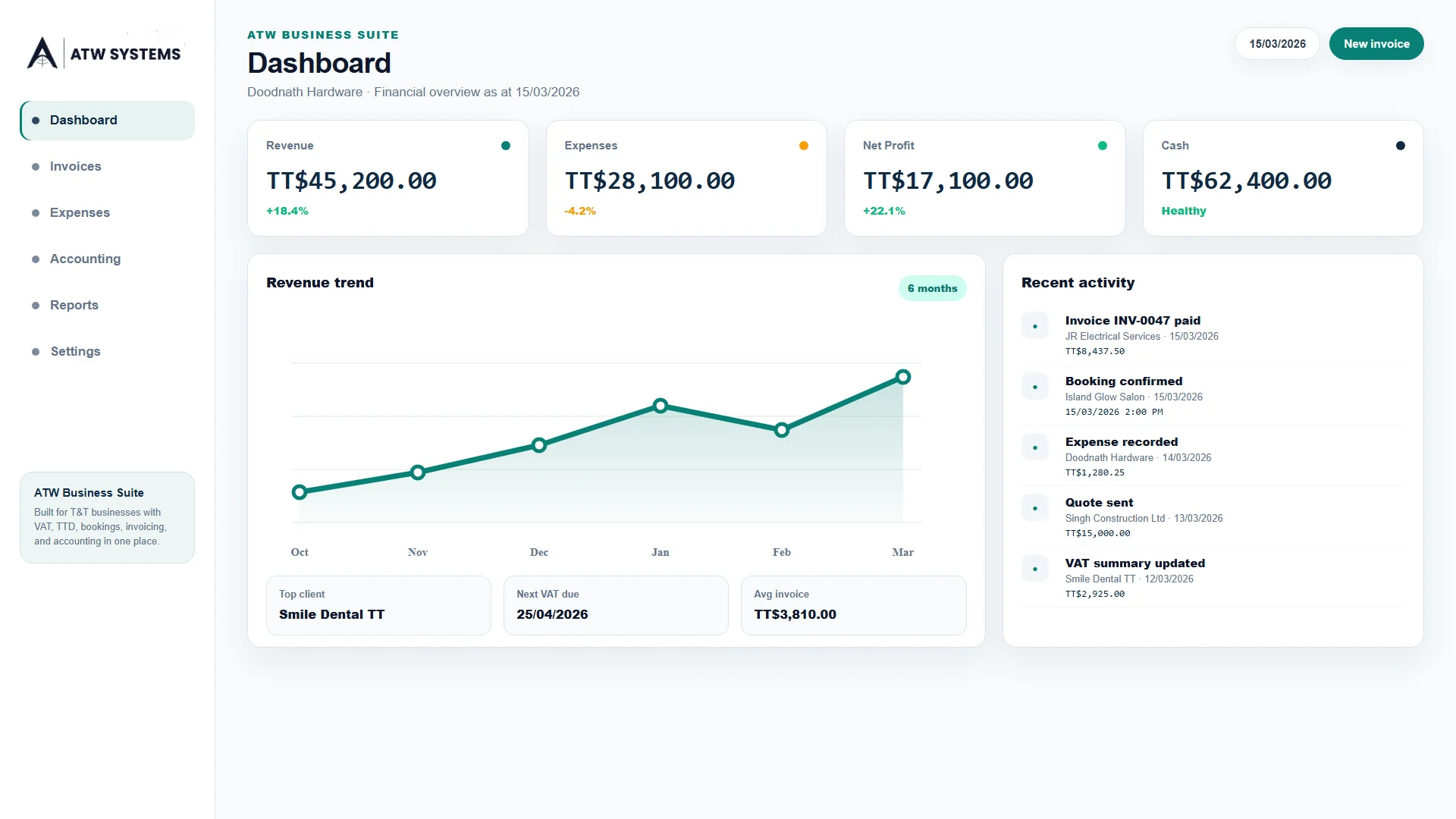
Keep leads, conversations, and follow-up in view.
Move customer work forward without losing context.
Keep the money trail ready for human review.
Connected modules
Each module has a focused page, while this hub shows how the complete suite fits together.
Accounting Software Trinidad
Lead moduleKeep invoices, expenses and reports together with ATW Business Suite in T&T. Accounting is included in Business Pro; setup is agreed in your quote.
Explore this workflowCRM Software Trinidad and Tobago
Organise enquiries, customers and follow-up with ATW Business Suite in T&T. Core CRM starts in Starter; pipeline and reporting are in Business.
Explore this workflowWhatsApp CRM Trinidad
Keep customer conversations and follow-up together with ATW Business Suite in T&T. WhatsApp messaging needs an approved channel and agreed setup.
Explore this workflowInvoicing and VAT Software Trinidad
Prepare invoices, track payments and organise VAT records in ATW Business Suite Business Pro. Review your T&T business setup and scope before use.
Explore this workflowOnline Booking Software Trinidad
Coordinate appointments and customer records with ATW Business Suite in T&T. Booking starts in Starter; messaging setup is confirmed before use.
Explore this workflowSmall Business Software Trinidad and Tobago
Bring customer follow-up, quotes and bookings into ATW Business Suite for T&T teams. Start with Starter; add accounting through Business Pro.
Explore this workflowOne working flow
Keep the lead, booking, and WhatsApp context together.
Move approved work into quotes, invoices, and customer balances.
Organize receipts, expenses, payroll records, and VAT-ready details.
Use connected reports to see what happened and what needs attention.
Suite pricing
Monthly reference prices in TTD. VAT, setup fees, included users, cancellation and data export terms are agreed individually in your written quote.
TT$1,500.00 / month
Keep contacts, quotes and appointments together.
TT$3,000.00 / month
Starter tools plus pipeline, CRM reports and follow-up options.
Includes accounting
TT$5,000.00 / month
Business tools plus accounting for the customer-to-cash workflow.
Customer access follows verification of the agreed workflows. Connected messaging and automation require approved channel setup. Payroll requires validation before customer use. Automation options require a separate provider, data-egress, consent, abuse, human-handoff, monitoring, and support review. AI receptionist is a separately metered add-on, subject to agreed usage pricing and channel setup. WhatsApp support; no fixed response-time promise.
Questions, answered
Core CRM and booking start in Starter. Business adds pipeline and reporting, and Business Pro includes accounting and invoicing. Availability and setup are agreed for your business.
Yes. Invoices, receipts, expenses, customer balances, and reports are organized so VAT-registered businesses have cleaner records to review. The software does not replace professional accounting advice.
Yes. A guided demo uses synthetic data to show the currently available workflow. It does not create a workspace, authorize real-data use, or guarantee onboarding.
We confirm your agreed scope, access, support and setup in writing before your team starts using real business records. A demo uses fictional records and does not activate customer access.
Guided walkthrough
A 15-minute walkthrough with fictional records. Customer access and setup are agreed separately.
Demo booked
We saved your selected time. Use the manage link below if you need to change it.
Manage or reschedule bookingThe embedded calendar is available on atwsys.com. In this preview, use “Open booking page” or WhatsApp instead.